System Overview
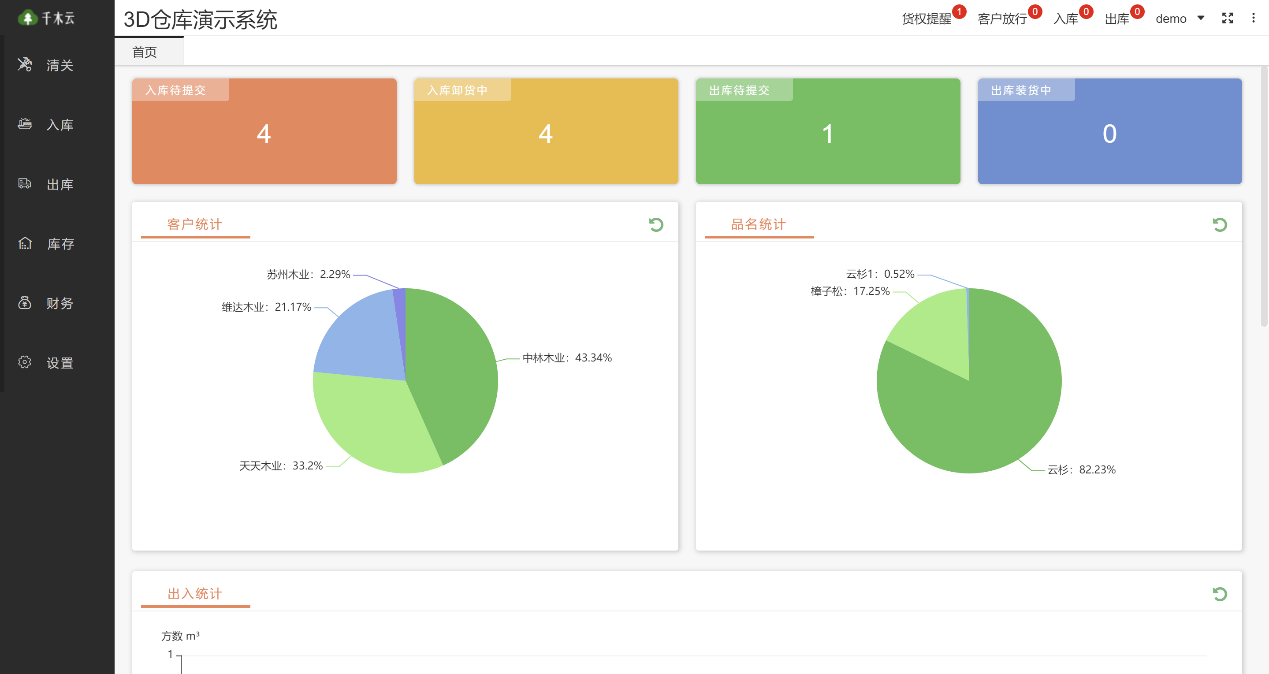
Figure 1. 3D warehouse dashboard
See exactly where every timber bundle is stored on an interactive 3D map. Warehouse staff can locate inventory quickly and dispatch tasks efficiently.
System Highlights
Eight core capabilities for smarter warehouse operations
3D Storage Locations
See your storage locations at a glance on a 3D map.
Tier-level location tracking
Locate inventory down to the tier and individual position.
Automatic Order Allocation
Automatically match inventory to the best available storage location.
Inbound Slot Planning
Plan storage assignments in advance.
Driver queuing system
Let drivers book online and manage entry in order.
Voice announcements
Guide warehouse operations with voice announcements.
Large-screen display
Display warehouse activity as it happens.
Customer portal
Coordinate work across desktop, mobile, and large displays.
Features in Detail
🗺️ Storage Location Planning
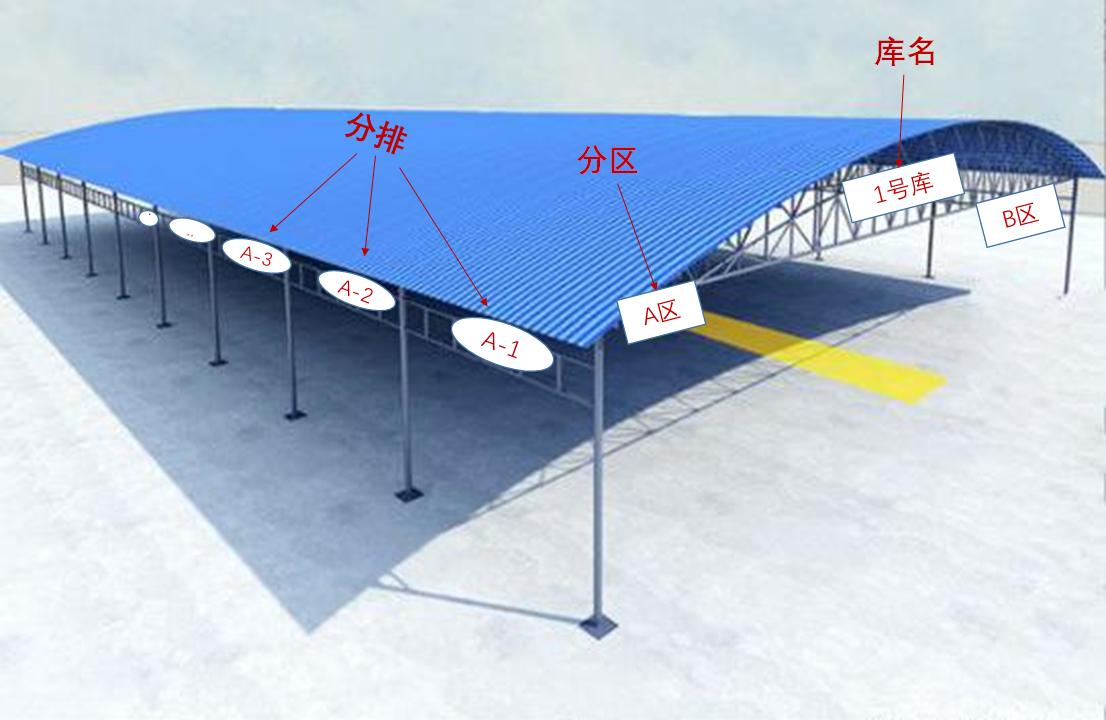
Figure 3. Storage location plan
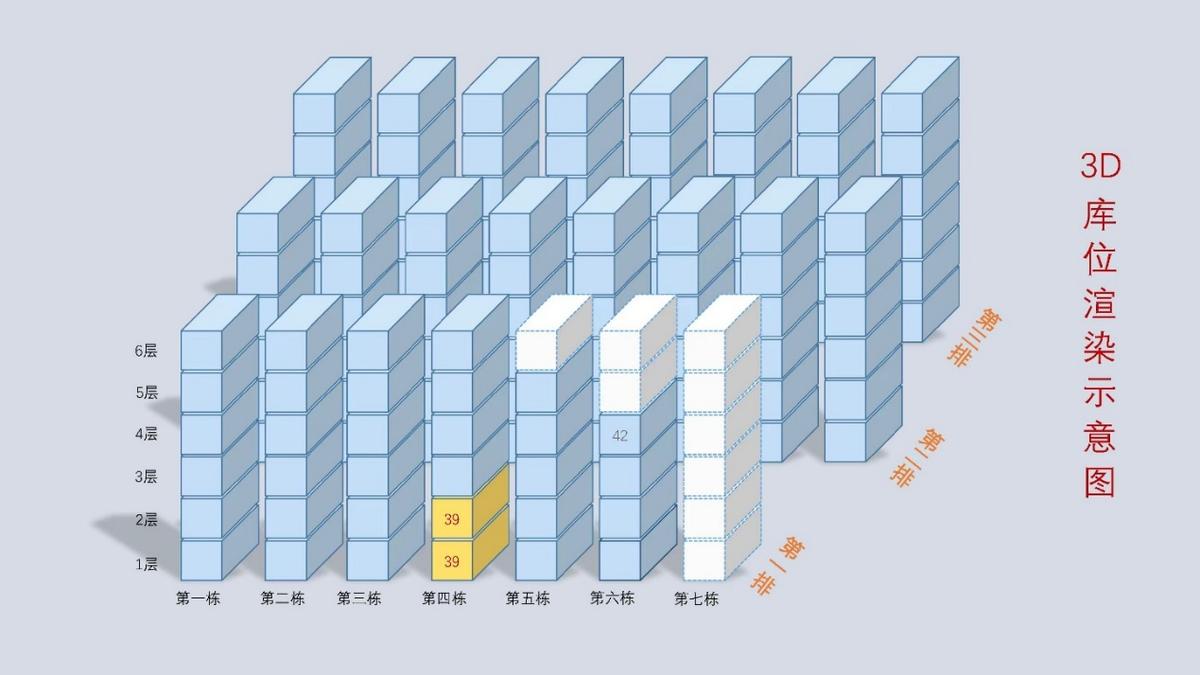
Figure 4. 3D rendering of storage locations
Visual Planning
Plan the warehouse layout with a 3D view.
Automatic Stock Location
Find the best storage location to pick from automatically.
Flexible Stock Moves
Update storage locations as forklift operators move stock.
👁️ Live 3D Warehouse View
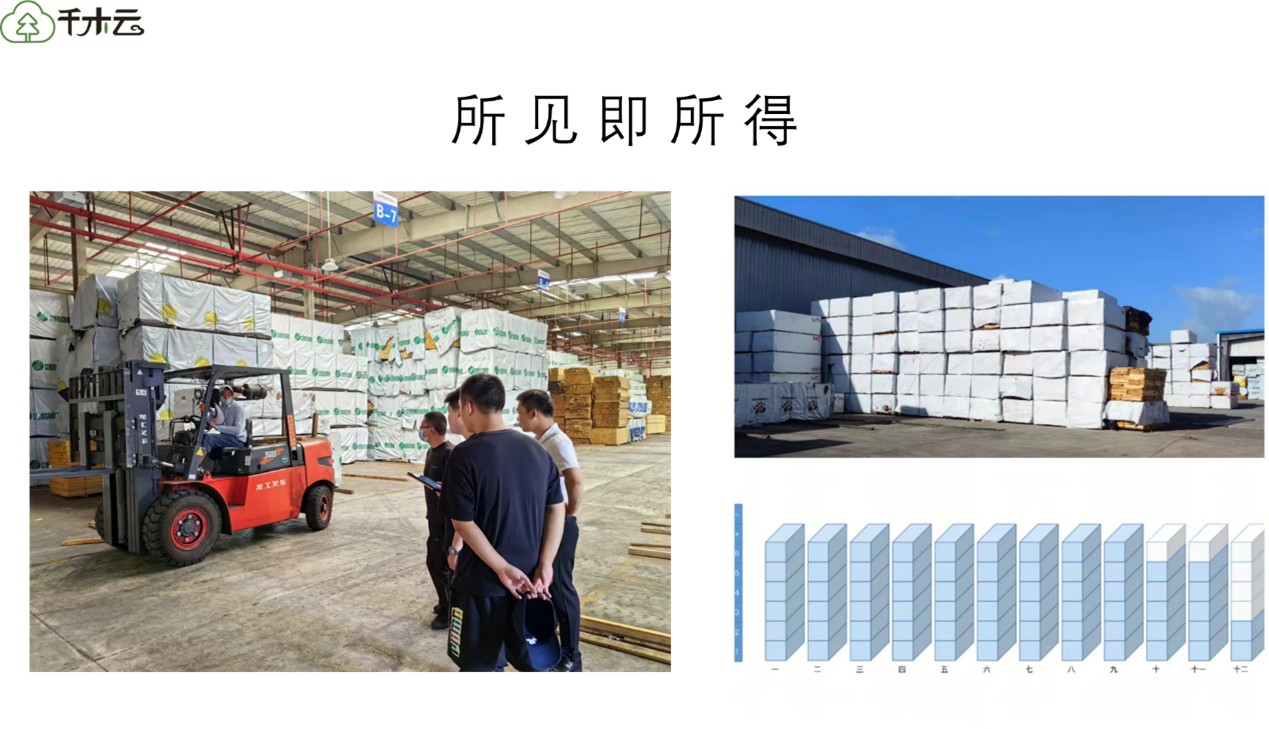
Figure 5. 3D warehouse interface
Real-Time Sync
The 3D view updates with changes to physical stock.
Quick Location Lookup
Click to locate a specific storage position.
Visual Inventory Status
Use color coding to see inventory status at a glance.
🚚 On-Site Operations
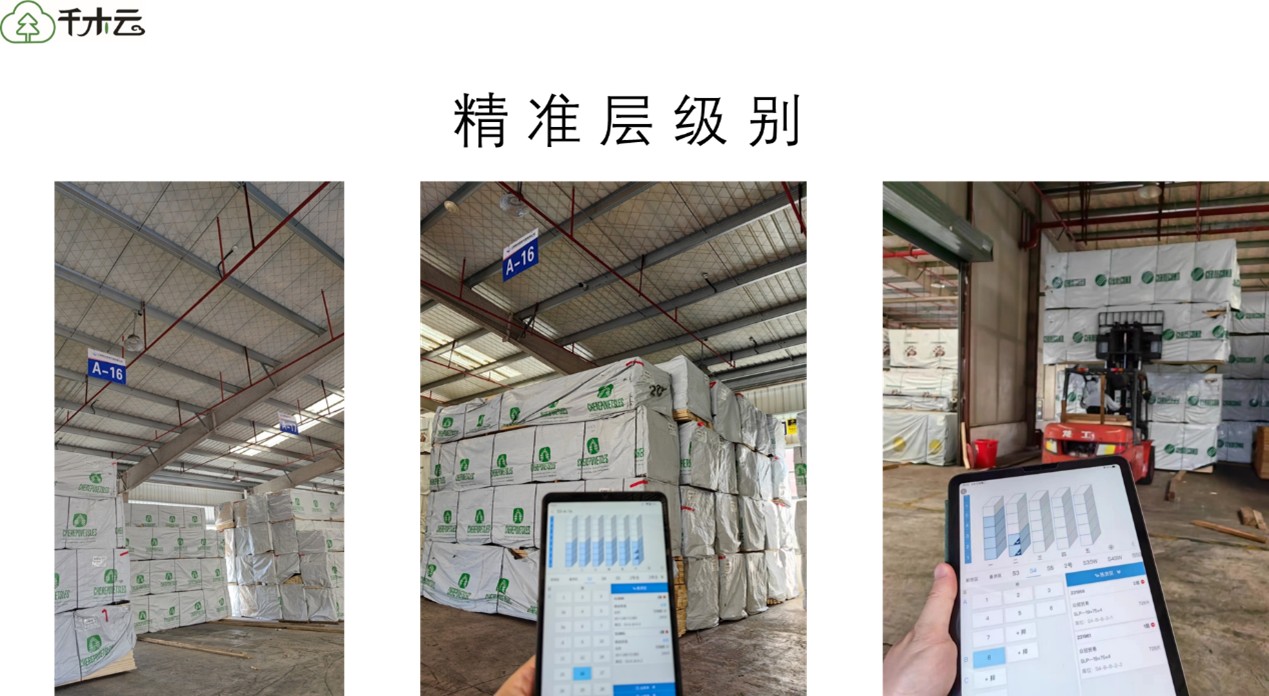
Figure 6. On-site operations interface
Live Task Notifications
Send tasks to mobile devices as they are assigned.
Phones, Tablets, and Desktops
Work from a phone, tablet, or desktop computer.
Higher Storage Density
3D location tracking reduces the need for gaps left open to find stock.
📋 Driver Check-In
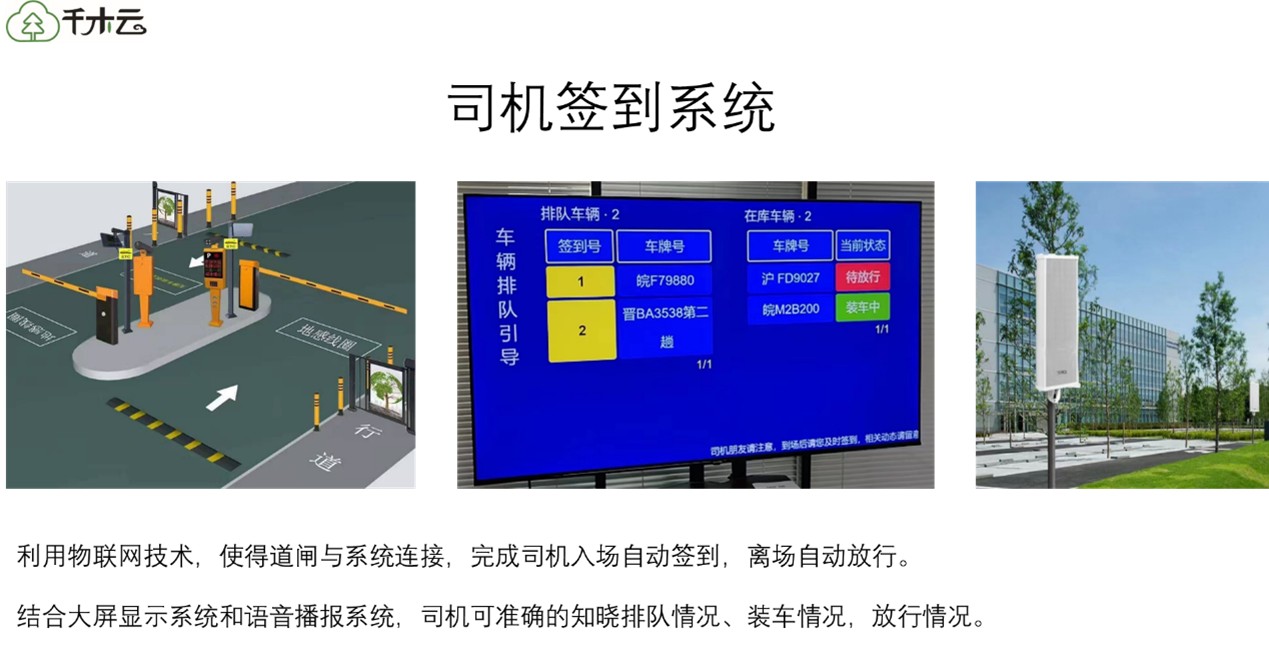
Figure 7. Driver check-in system
Online Loading Requests
Customers can submit loading orders from their phones.
Queue Management
Call drivers in order for check-in and entry.
Release Confirmation
When loading is complete, notify drivers via the large display and announcements.
System Interfaces
Desktop Management
For warehouse managers
Mobile Operations App
For forklift operators and warehouse staff
Large-Screen Display
Shows live information on the warehouse floor
Driver Portal
For driver booking and check-in
Who It's For
Supervised Timber Warehouses
Manage dedicated timber storage facilities.
Port and Terminal Warehouses
Manage timber stored at ports.
Logistics Park Warehouses
Manage storage across logistics parks.
Warehouses Holding Pledged Timber
Support third-party oversight of pledged inventory.