System Overview
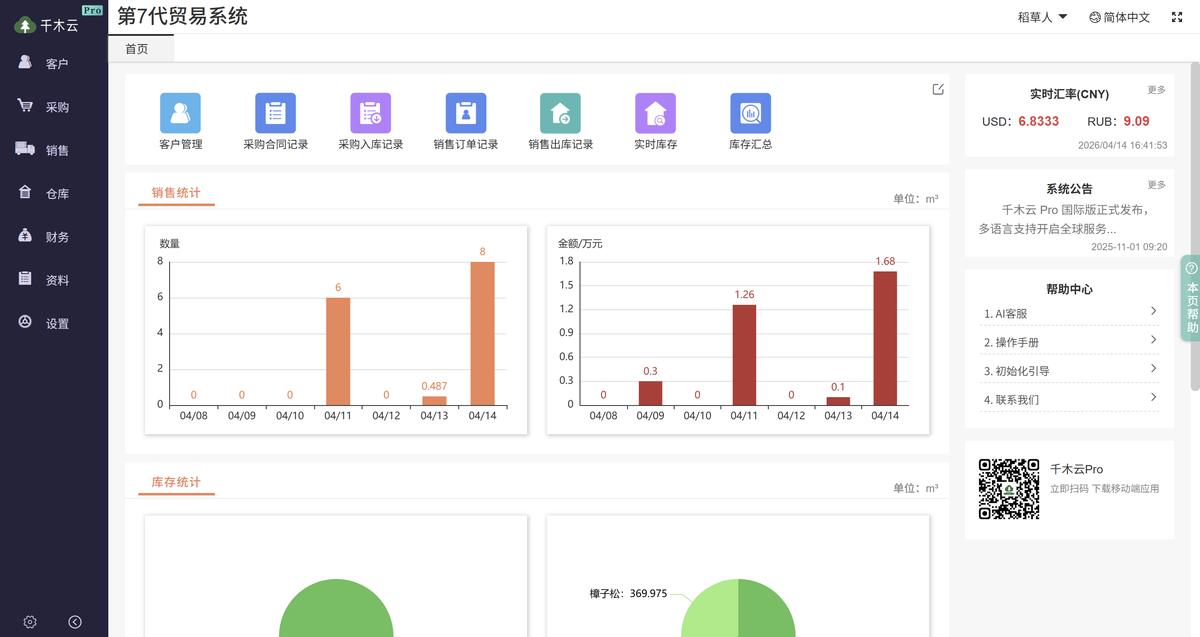
Figure 1. Timber trading dashboard
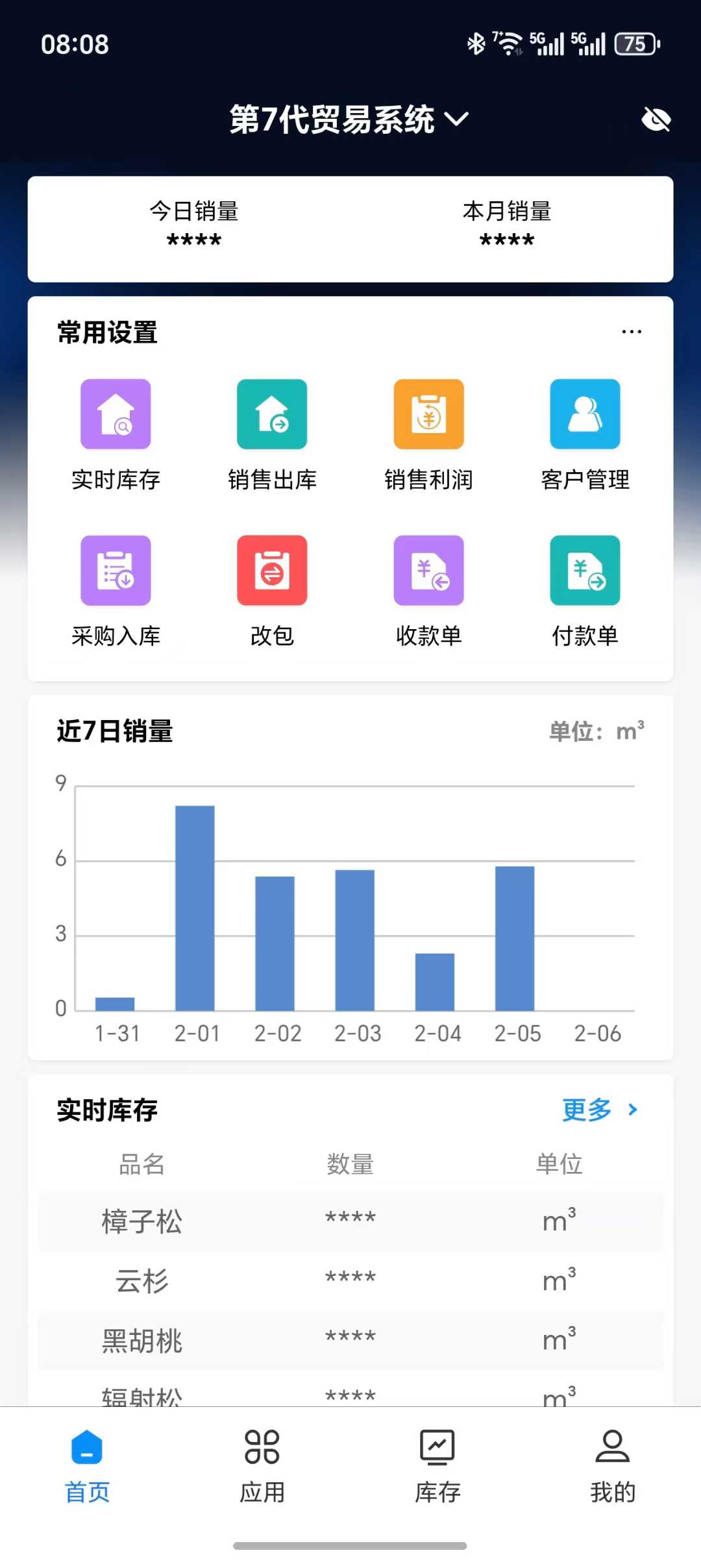
Figure 2. Mobile app home screen
Built for timber traders, the system brings purchasing, sales, inventory, and finance together. Use the mobile app to keep track of operations wherever you are.
Supported Timber Types
Manage logs and sawn timber across a wide range of species and trading workflows.
Pine
Mongolian Scots pine, radiata pine, and SPF
Spruce, Fir, and Hemlock
Spruce, fir, and hemlock
Hardwood
Rubberwood and okoume
Premium Timber
Black walnut and zebrawood
Construction Timber
Formwork and sawn timber
Furniture Panels
Engineered panels and decorative boards
Other Imported Species
African and South American timber, including small zebrawood
More Timber Types
Add your own timber species.
Key Features

AI Assistant
Read tally sheet images and get help using the system to speed up everyday paperwork.
AI Document Creation
Drag a tally sheet image into the system. AI reads the data and creates sales dispatch and purchase receipt documents.

AI Support
Get answers to common questions and clear guidance on how to use the system.
📊 Live Inventory
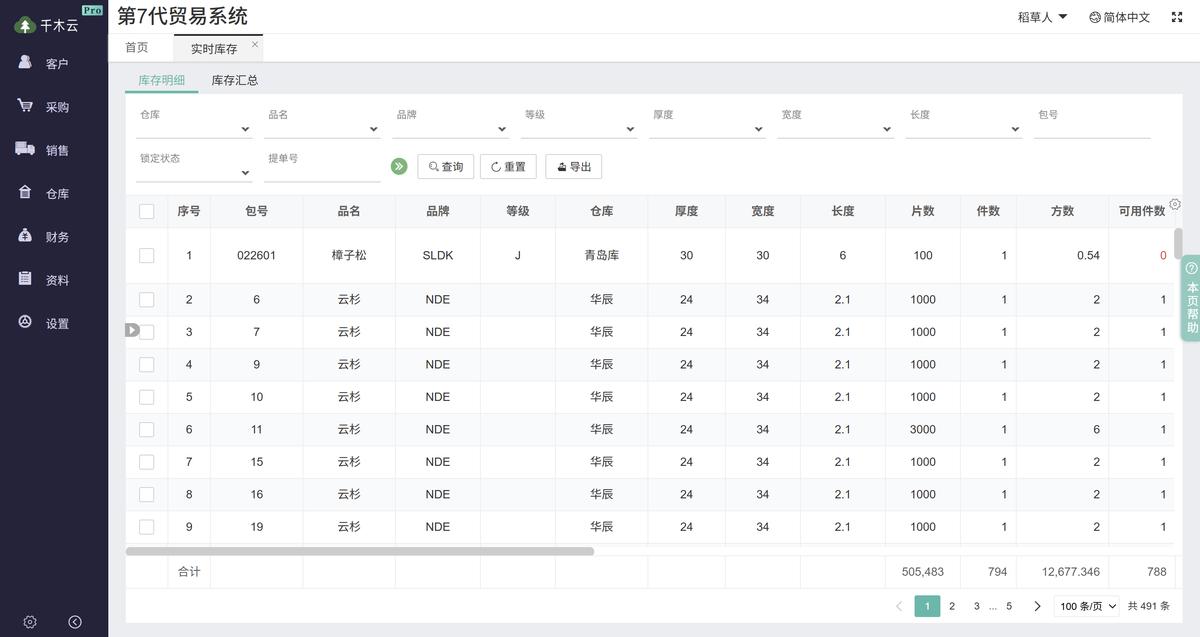
Figure 3. Live inventory management
Automatic Updates
Add stock on receipt, reserve it when you create an order, and deduct it on dispatch.
Bundle Traceability
Track the cost and movement of each bundle.
Flexible Search
Search, filter, and export by specification.
🛒 Purchasing
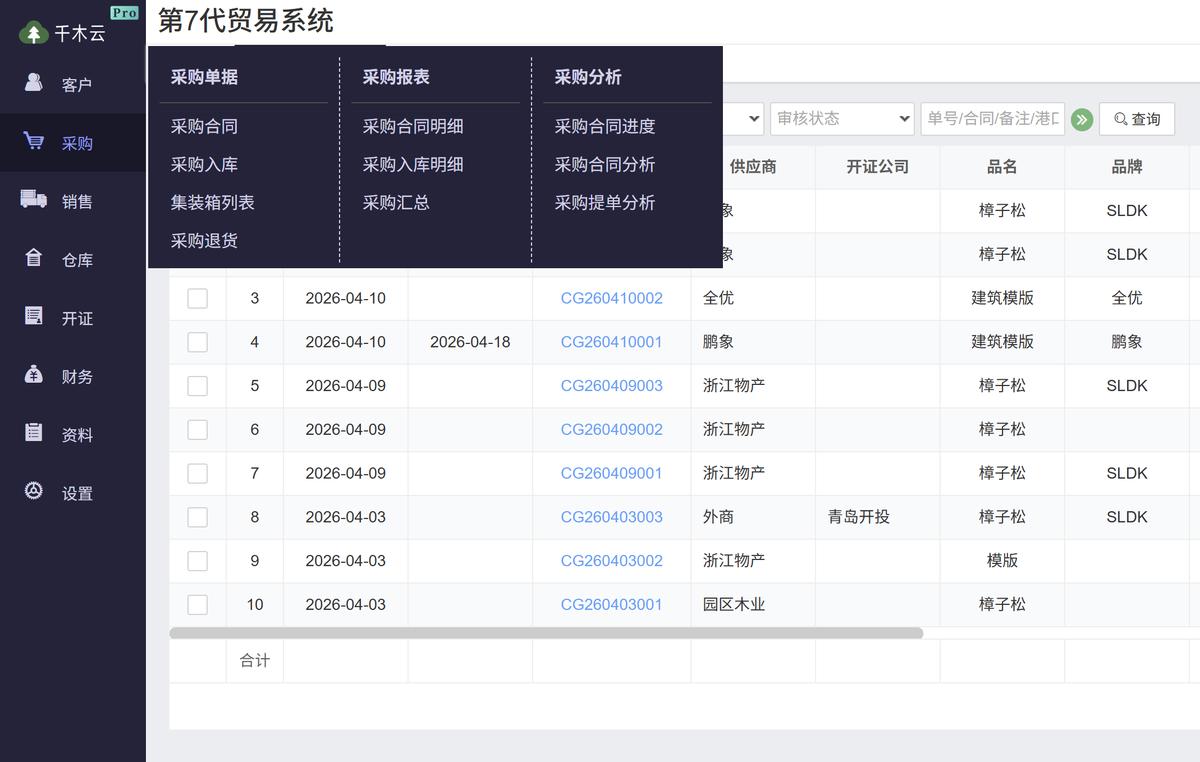
Figure 4. Purchase receipt management
Contract Management
Record purchase contracts and upload Excel tally sheets.
In-Transit Tracking
Search in-transit inventory and track orders throughout their journey.
Letter of Credit Support
Manage deposits, foreign currency payments, and title to goods when working with letter of credit providers.
💰 Sales Management
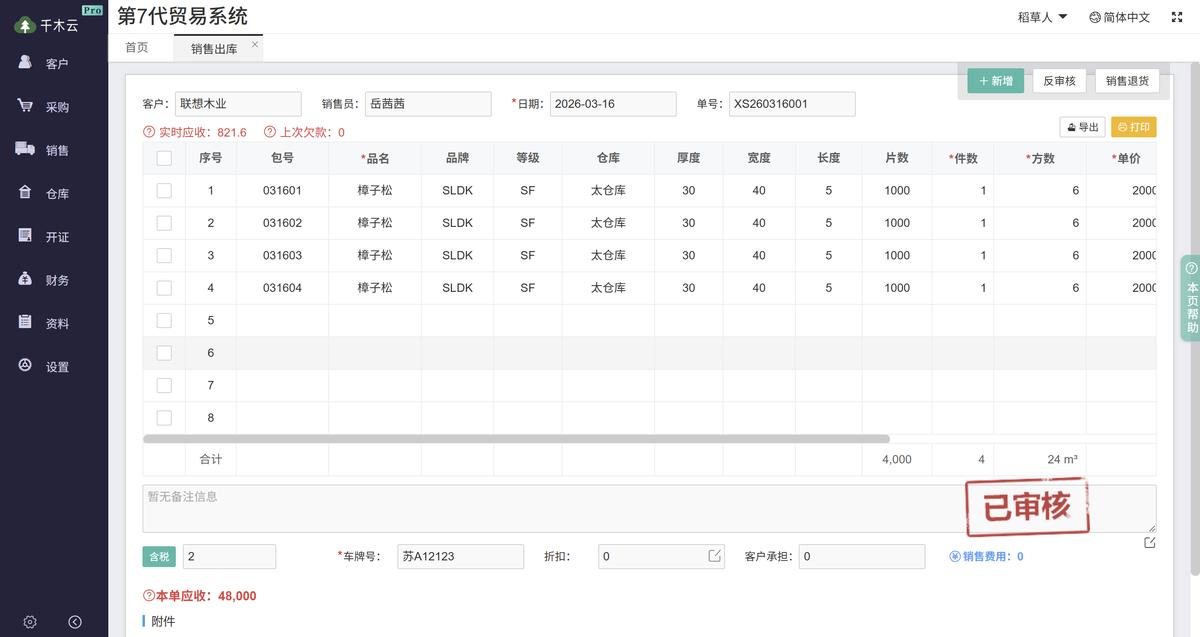
Figure 5. Sales order management
Create Orders on Any Device
Create orders on phones or computers and calculate quantities and totals automatically.
One-Click Printing
Generate, share, and print dispatch documents.
Sales Analytics
Analyze sales by timber type, customer, and sales representative.
📈 Financial Accounting
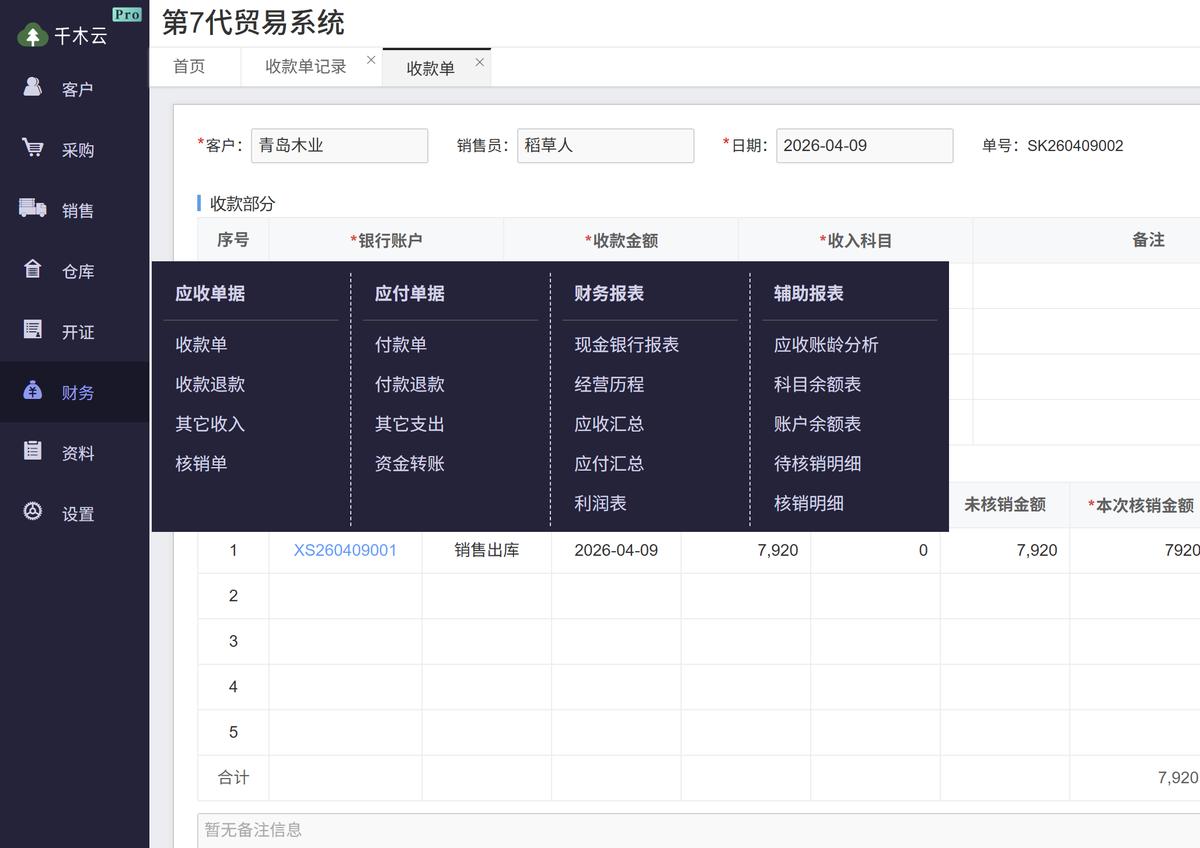
Figure 6. Finance module
Receivables and Payables
Create accounts receivable automatically when you issue sales documents.
Financial Reporting
Detailed receivables, payables, and bank transaction reports
Expense Management
Record and approve everyday expenses in a simple workflow.
Module Overview
| Module | Features |
|---|---|
| AI Assistant |
Drag in a tally sheet image to create sales dispatch and purchase receipt documents automatically. AI support answers questions about using the system. |
| 📦 Purchasing | Purchase contracts, receipts, container lists, and returns |
| 🛒 Sales | Sales orders, dispatch, returns, invoicing, and stock transfers for sales |
| 🏭 Warehousing | Live and in-transit inventory, stock transfers, and other receipts and dispatches |
| 📄 Letters of Credit | Letter of credit settlement and title management |
| 💵 Finance | Receipts and payments, other income and expenses, receivables and payables, customer and supplier balances, bank transactions, aging analysis, and profit and loss |
| 📁 Master Data | Customers, suppliers, product names and brands, warehouses, units, currencies, and attachments |
| ⚙️ Settings | Users, system parameters, opening balances, approvals, print settings, period closing, and column settings |