System Overview
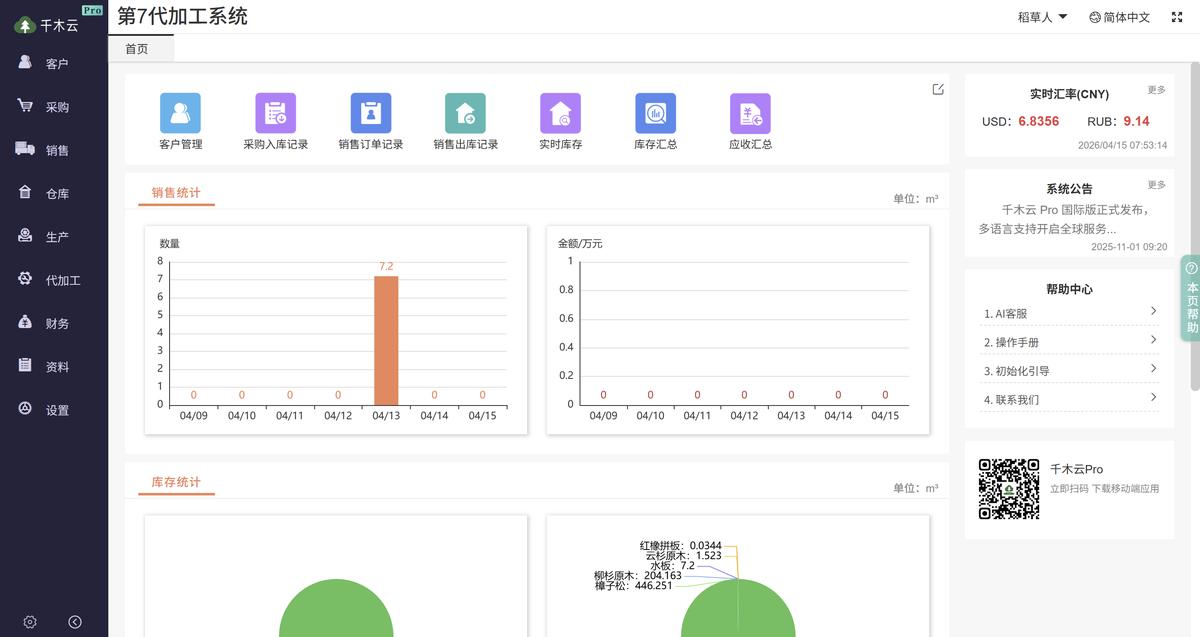
Figure 1. Timber processing dashboard
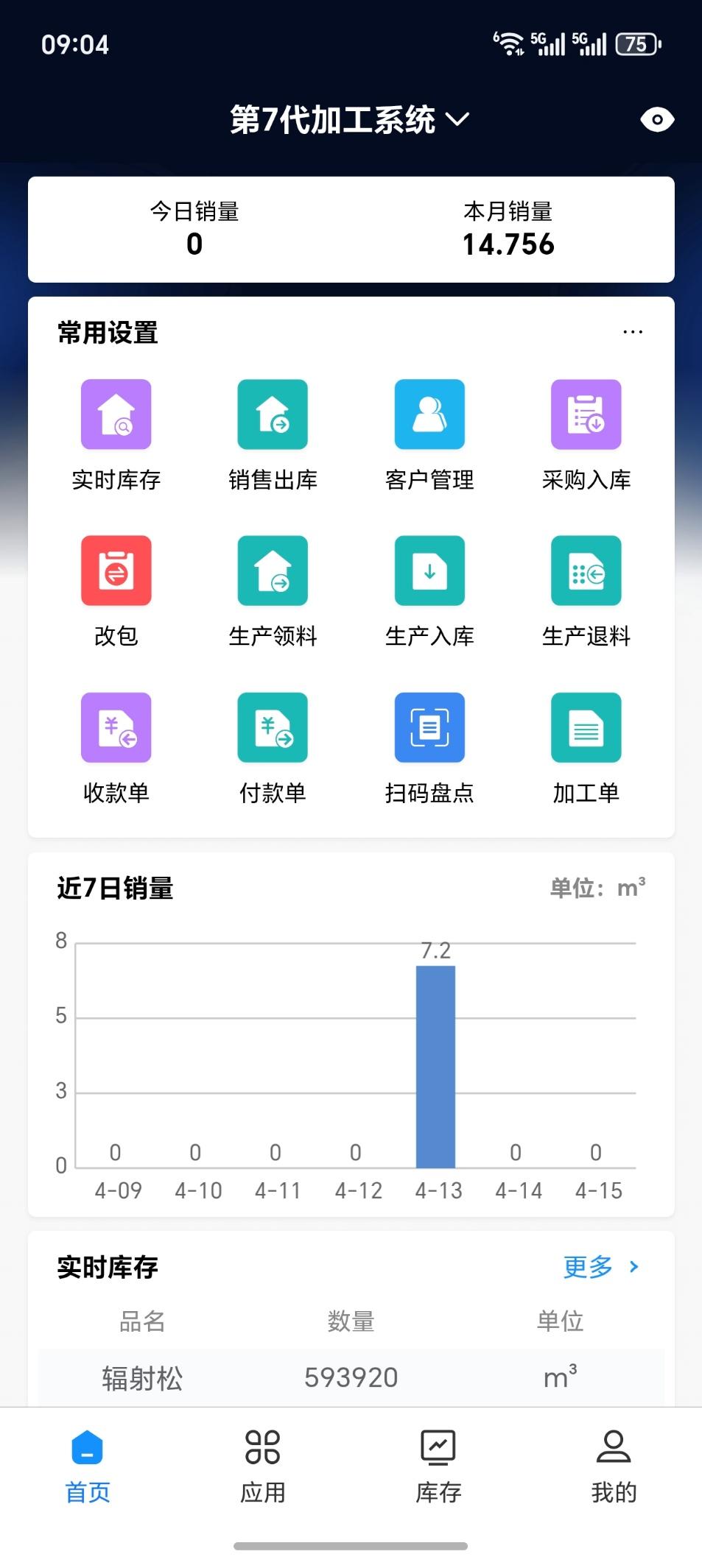
Figure 2. Mobile app home screen
Built for timber processors, the system uses barcodes to track every stage of production, from receiving raw materials through processing and dispatching finished goods. Barcode tracking helps improve productivity and reduce manual errors.
Use Cases
Built for a range of timber processing operations
Wood Strip Mills
Cutting, sorting, and packaging wood strips
Treated Timber Plants
Preservative treatment and quality traceability
Panel Mills
Interlocking panel production and specification management
Construction Timber Mills
Construction formwork and sawn timber production
Furniture Component Plants
Bed boards, bed slats, and sofa frame strips
Pallet Manufacturers
Pallet production, receiving, and dispatch
Wood-Plastic Composite Plants
Wood-plastic composite production
Engineered Bamboo Plants
Bamboo processing and finished goods management
On-Site Photos
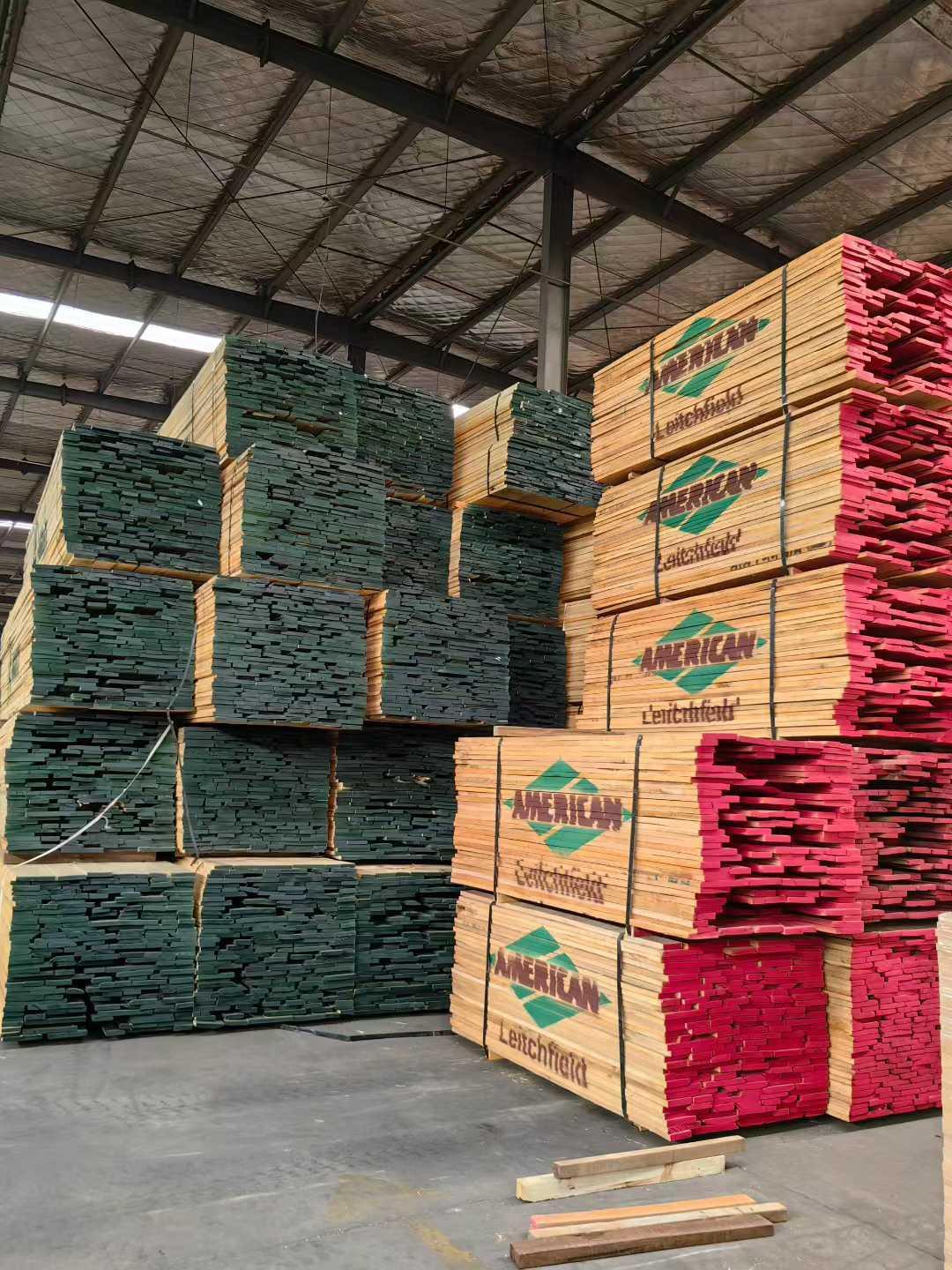
Figure 3. Hardwood raw materials on site
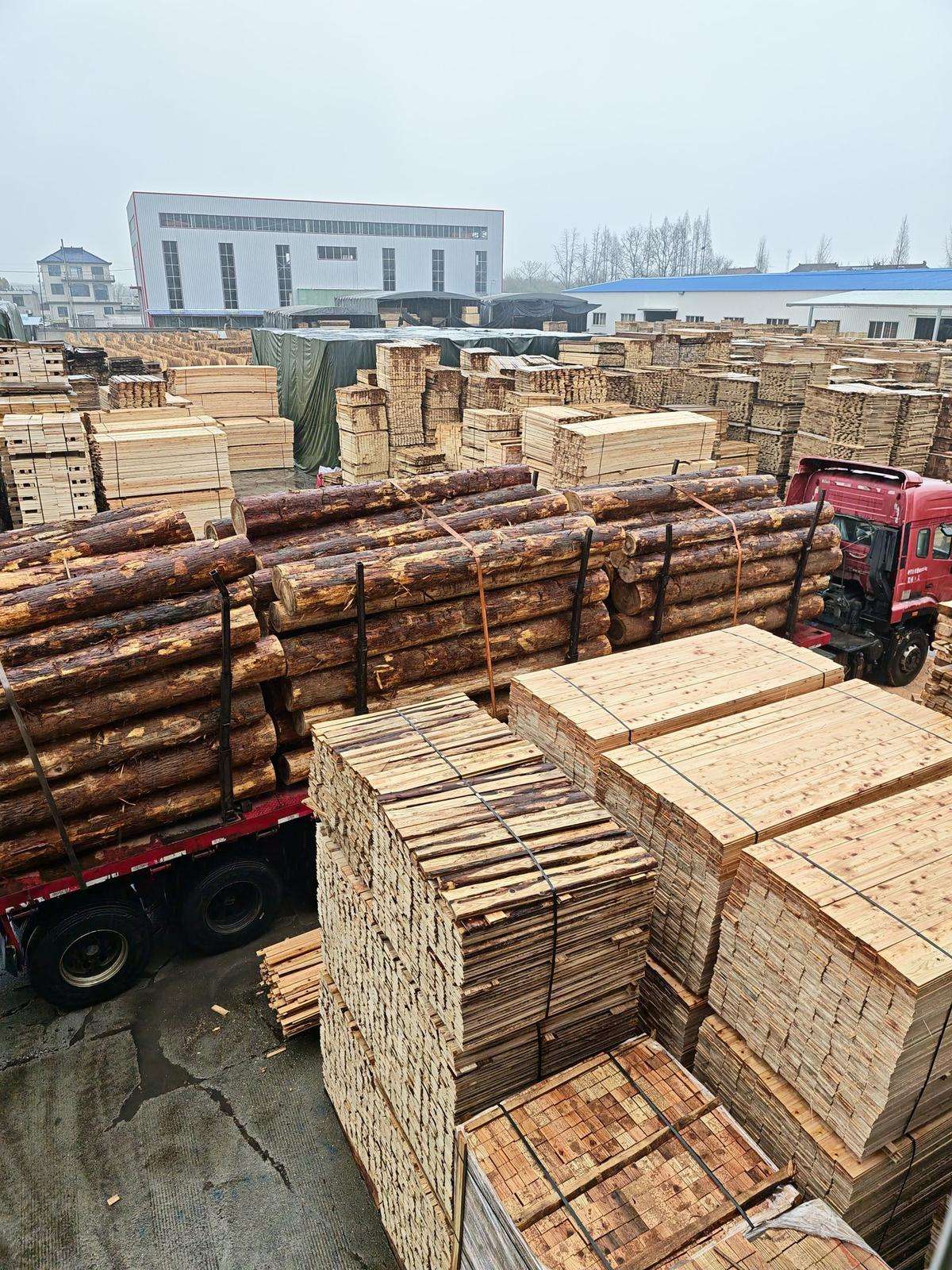
Figure 4. Log processing site
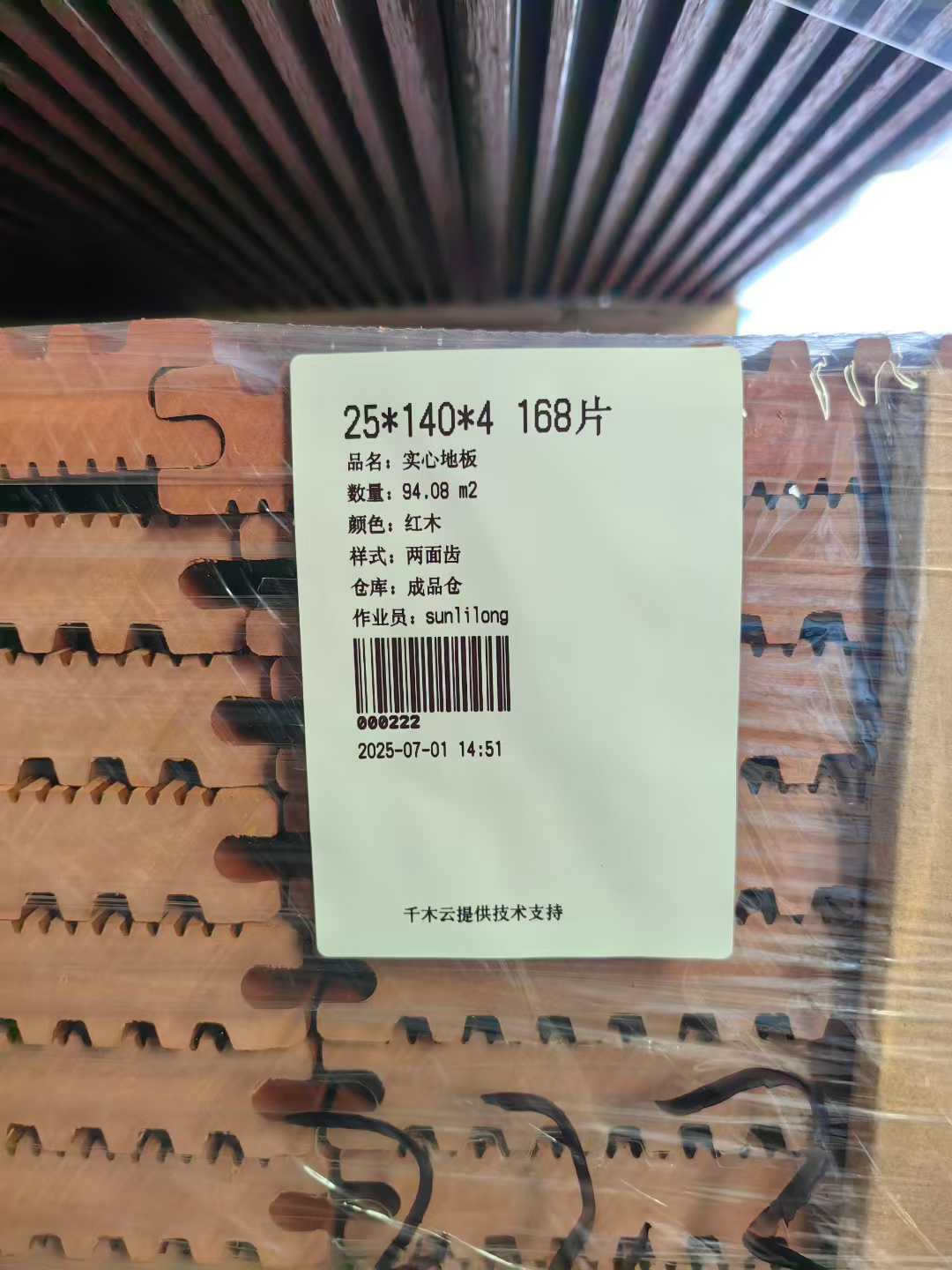
Figure 5. Wood-plastic composite plant
Key Features

AI Assistant
Read tally sheet images and get help using the system to speed up everyday paperwork.

AI Document Creation
Drag a tally sheet image into the system. AI reads the data and creates sales dispatch and purchase receipt documents.

AI Support
Get answers to common questions and guidance on workflows specific to timber processing.
🏷️ Factory Barcode Scanning
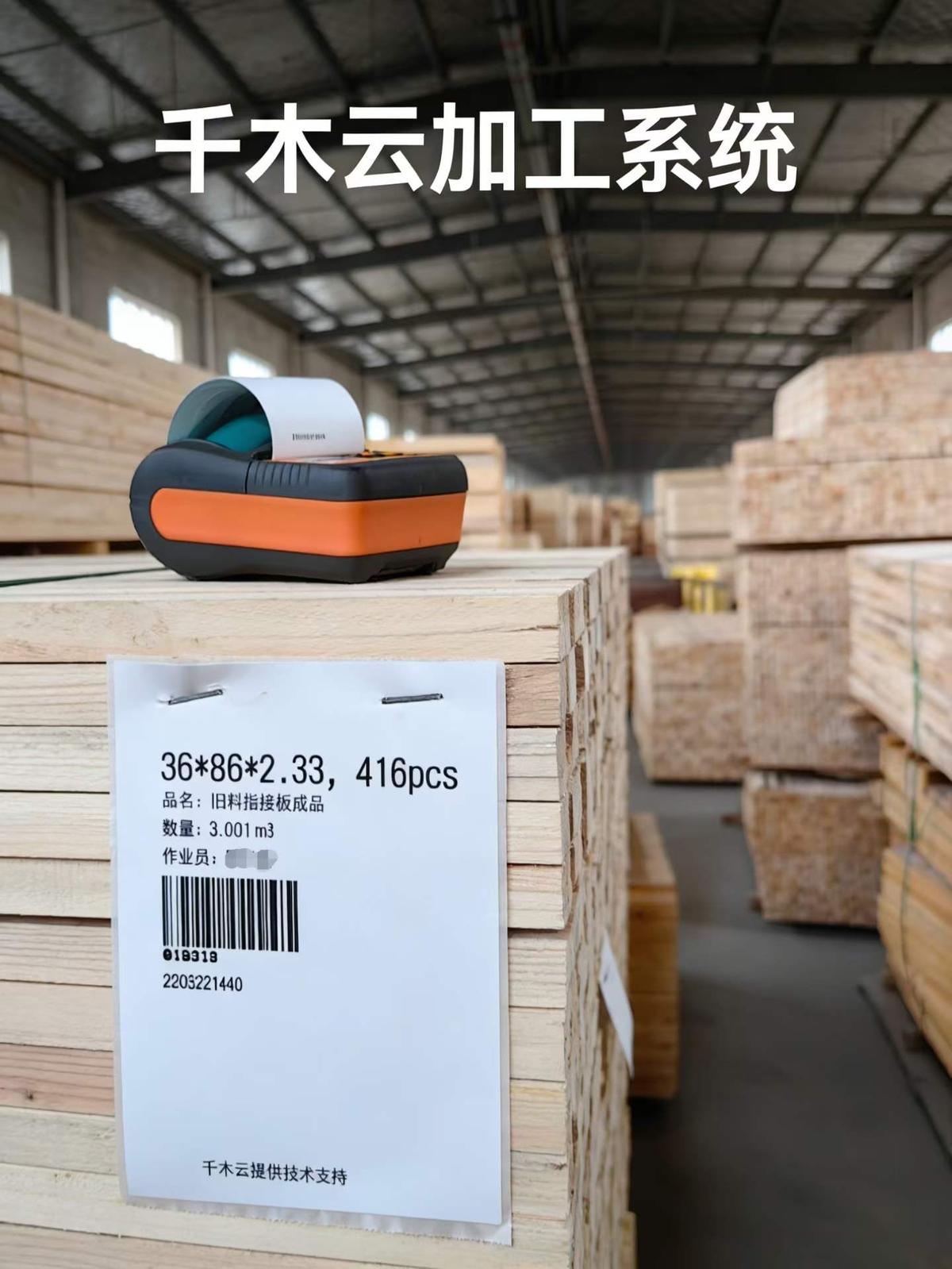
Figure 6. Barcode management interface
Label on Receipt
Print barcode labels when raw materials arrive.
Scan on Dispatch
Scan finished goods to confirm dispatch and deduct stock automatically.
Handheld Scanning
Use an Android phone in place of a dedicated handheld scanner.
📊 Automatic Recovery Rate Calculation
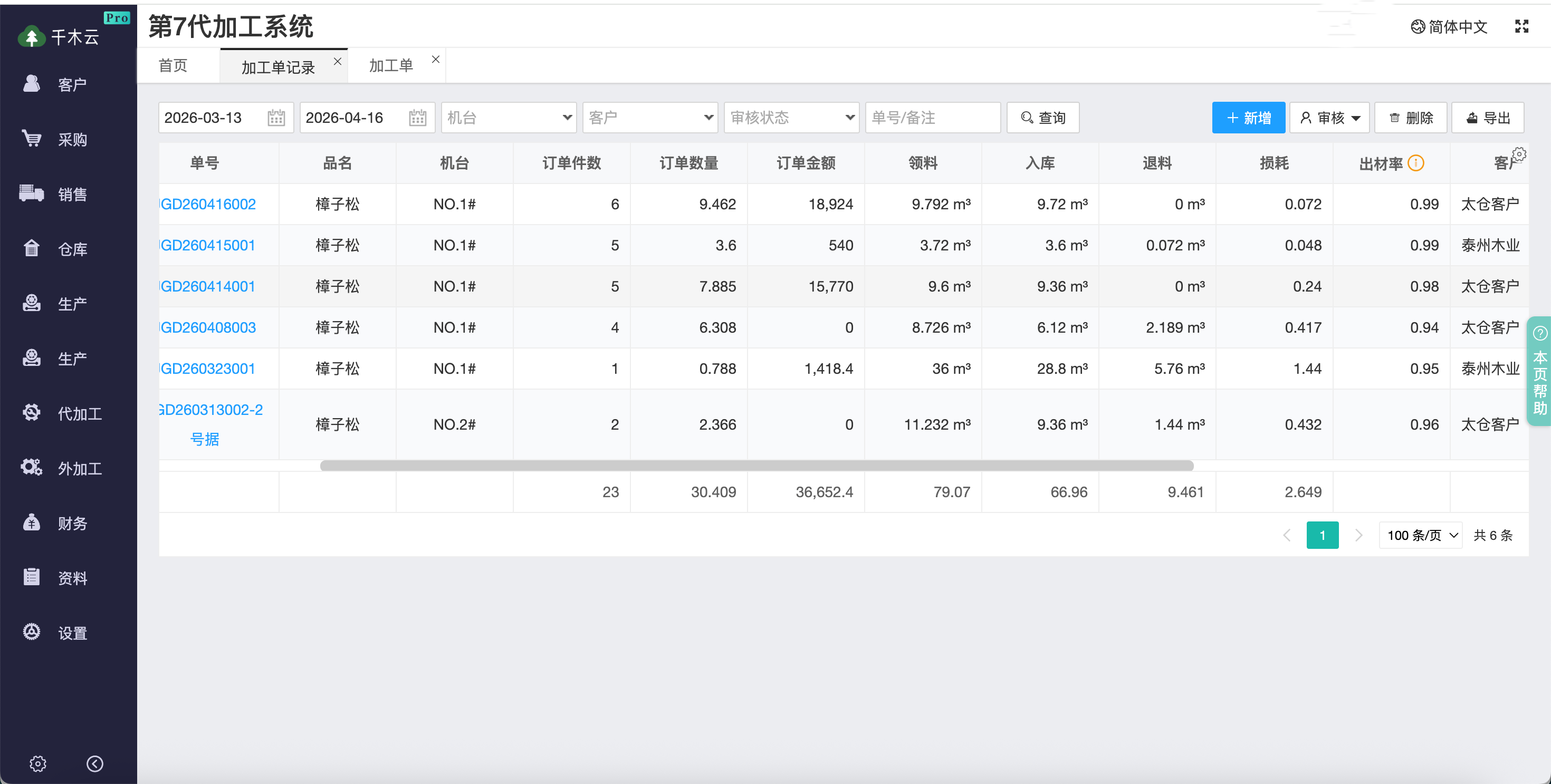
Figure 8. Recovery rate report
Production Management
Issue materials to production, receive finished goods, and return unused materials.
Contract Processing
Manage the full contract processing workflow.
Production Reports
Report production volumes by process and machine and calculate recovery rates.
📷 Mobile Photo Records
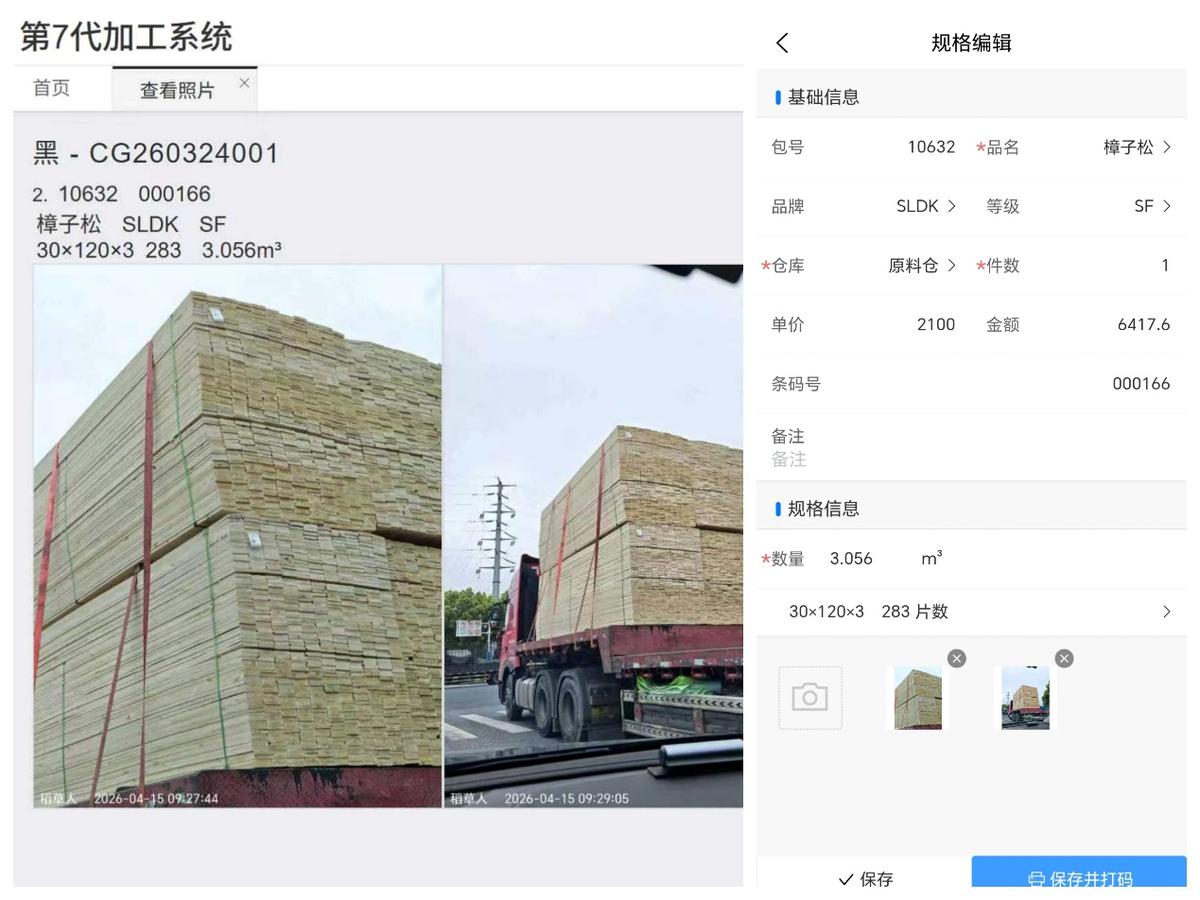
Figure 9. Mobile photo records
Capture Photos on Site
Operators can take photos on their phones at critical steps.
Cloud Storage
Photos upload to the system as soon as they are taken.
Issue Traceability
Keep original records for investigating issues.
💰 Financial Accounting
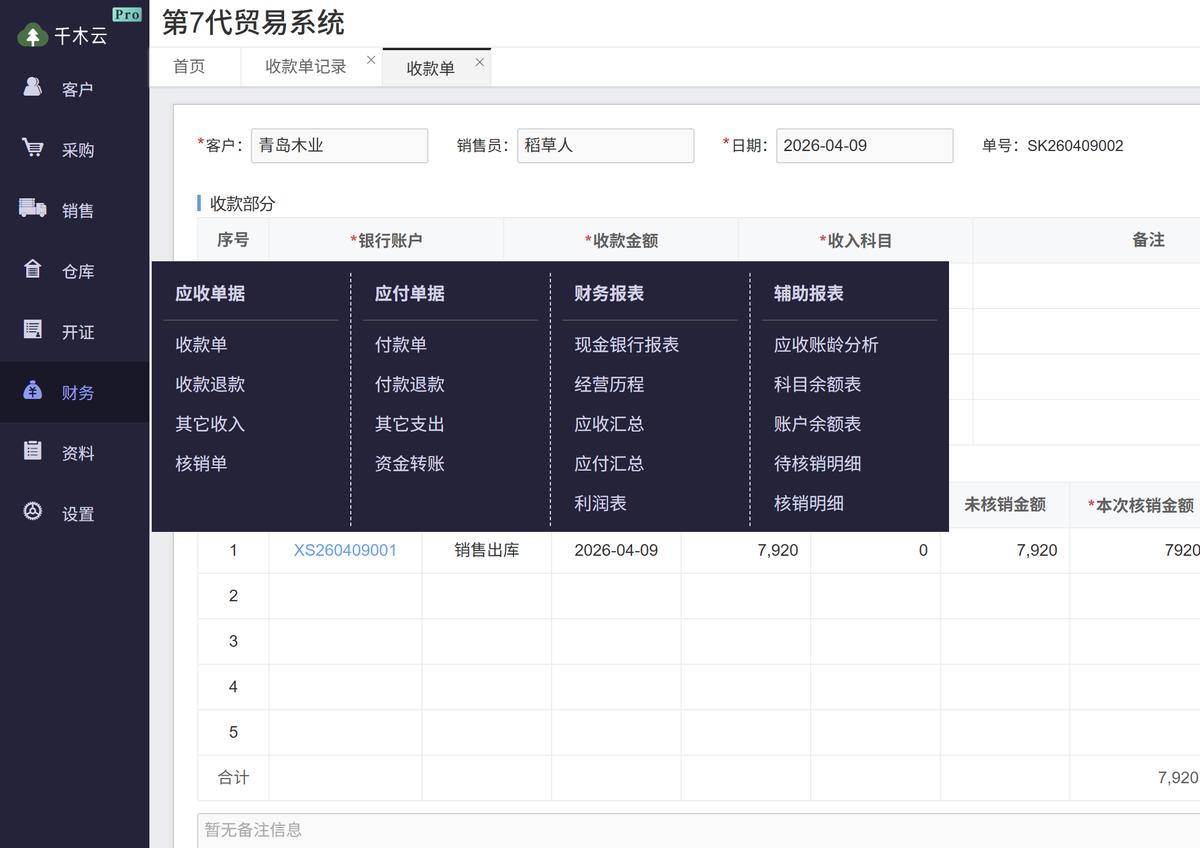
Figure 10. Finance module
Receivables and Payables
Create accounts receivable automatically when you issue sales documents.
Financial Reports
Detailed receivables and bank transaction reports
Expense Management
Record and approve day-to-day expenses.
Module Overview
| Module | Features |
|---|---|
| AI Assistant |
Drag in a tally sheet image to create sales dispatch and purchase receipt documents automatically. AI support answers questions about using the system. |
| 📦 Purchasing | Purchase contracts, purchase receipts with barcode labels, and purchase returns |
| 🛒 Sales | Sales orders, dispatch with barcode scanning, returns, and invoicing |
| 🏭 Warehousing | Live and in-transit inventory, stock transfers, and other receipts and dispatches |
| ⚙️ Production | Work orders, material issues with barcode scanning, material returns, and finished goods receipts with barcode labels |
| 🔧 Contract Processing | Contract work orders, material receipts, finished goods receipts, and optional product returns |
| 🔧 Outsourced Processing | Outsourcing orders, material dispatch and returns, finished goods receipts, and optional product returns |
| 💵 Finance | Receipts and payments, other income and expenses, receivables and payables, bank transactions, aging analysis, and profit and loss |
| 📁 Master Data | Customers, suppliers, product names and brands, and warehouses |
| ⚙️ Settings | Users, system parameters, opening balances, approvals, print settings, period closing, and column settings |